3D studio planning
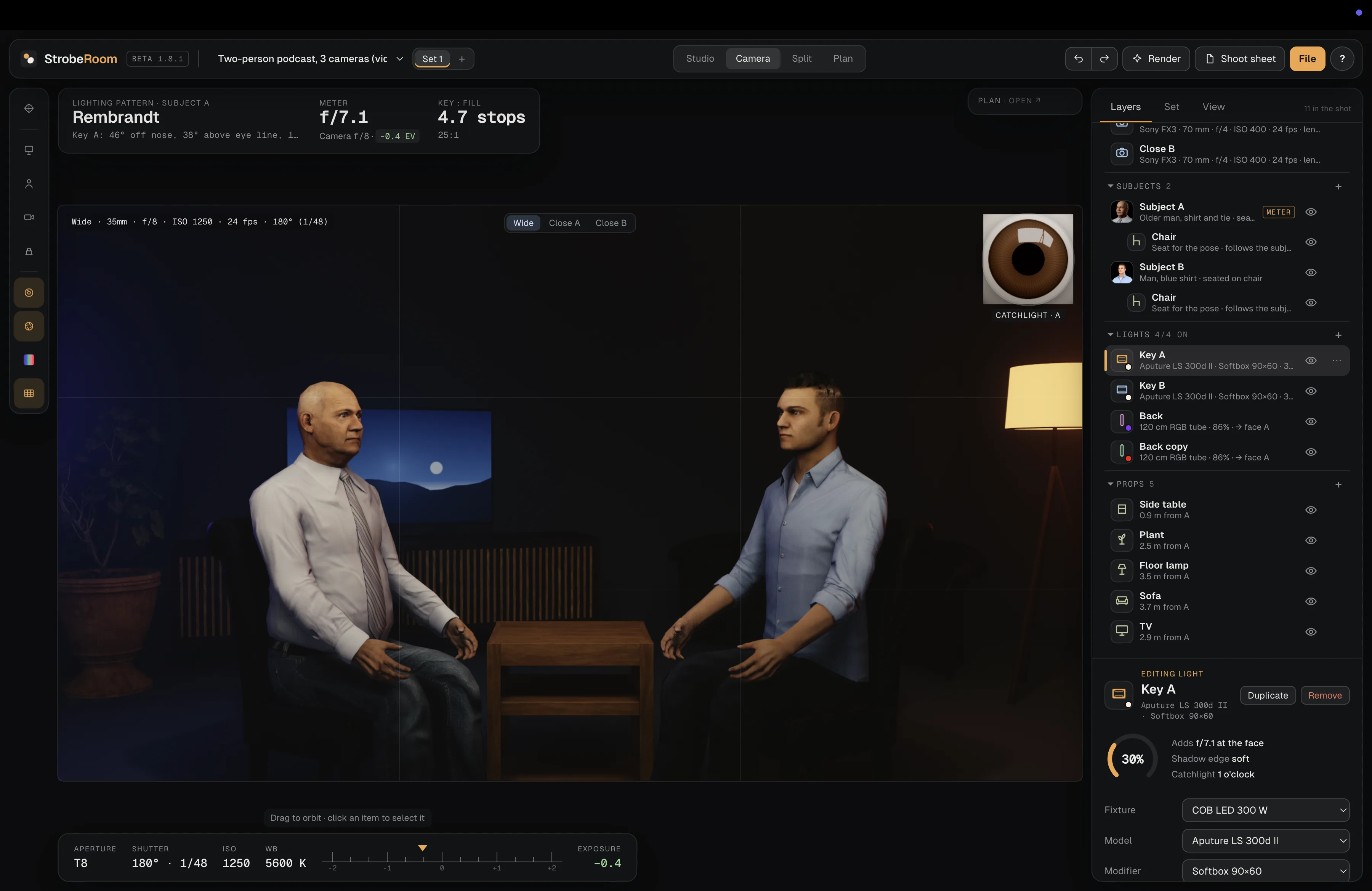
Place and move subjects, cameras, lights, furniture and practical props in a virtual environment.
Design the space, shape the light, dial in the camera and turn your decisions into a plan your crew can use.
Explore the toolkit ↓Move from spatial planning to camera decisions without losing the relationship between them.
Place and move subjects, cameras, lights, furniture and practical props in a virtual environment.
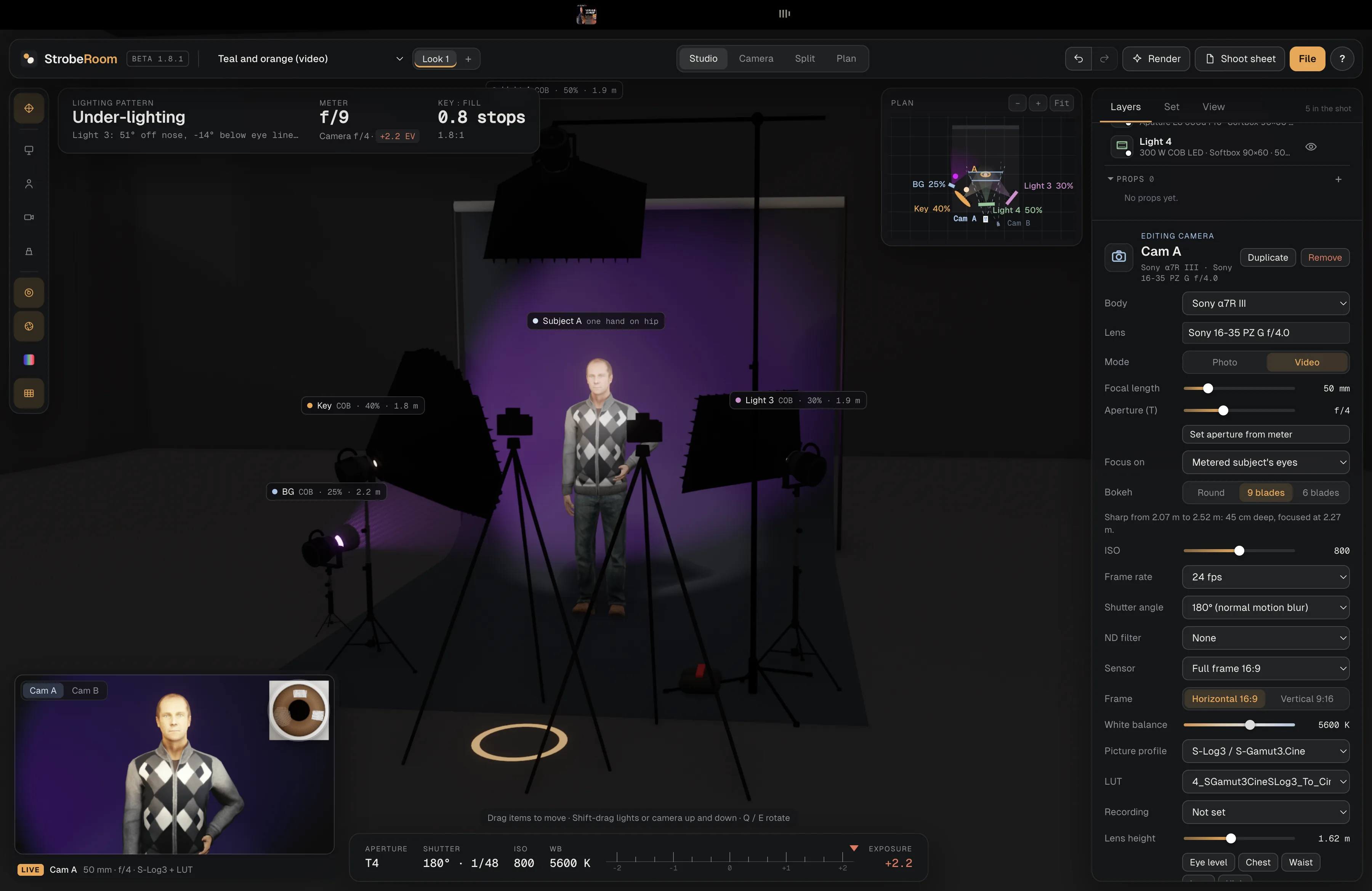
Configure camera bodies, lenses, focal length, aperture, ISO, frame rate, shutter angle and white balance.
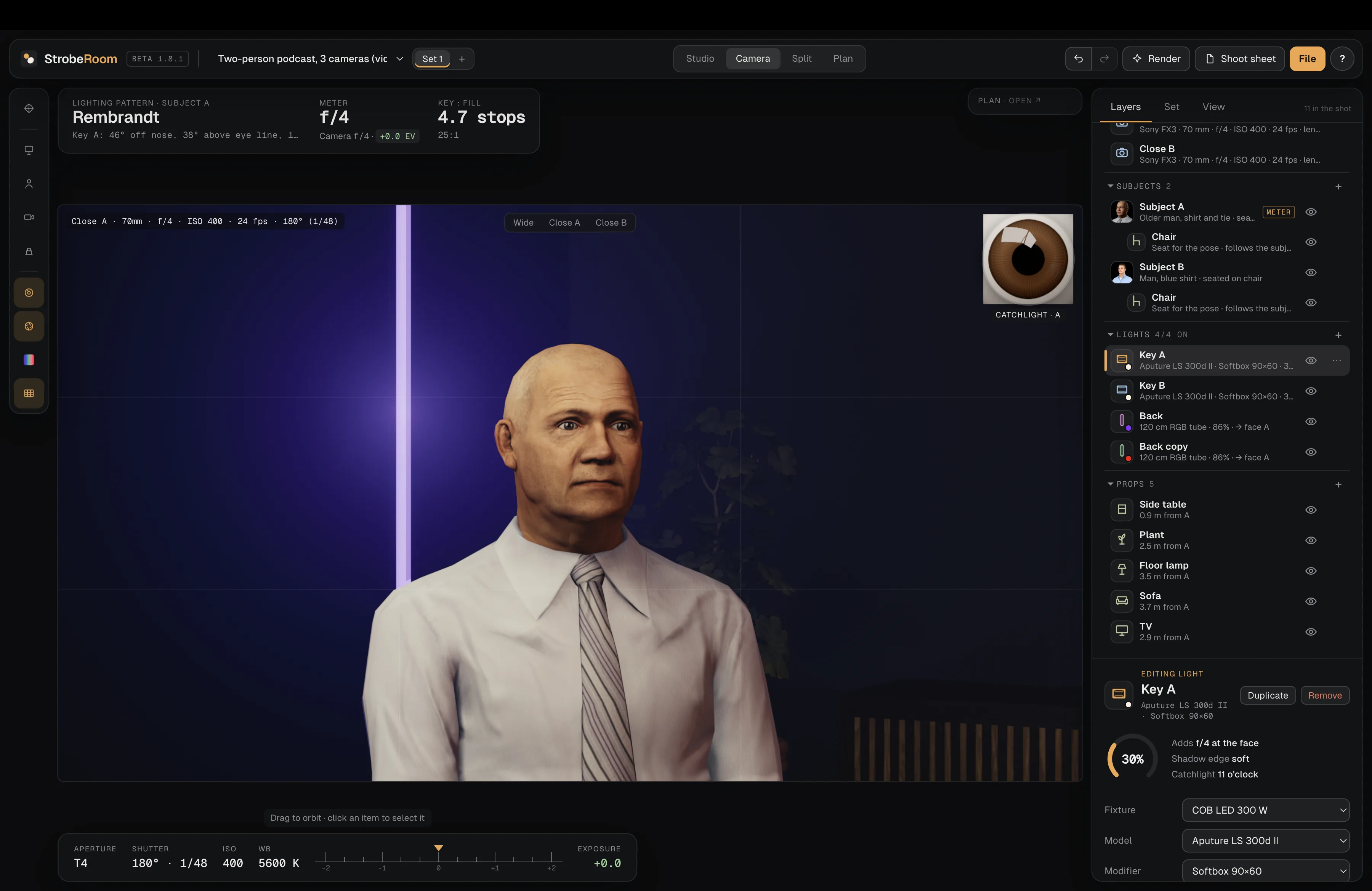
Plan multiple camera positions and preview each frame for interviews, podcasts and productions.
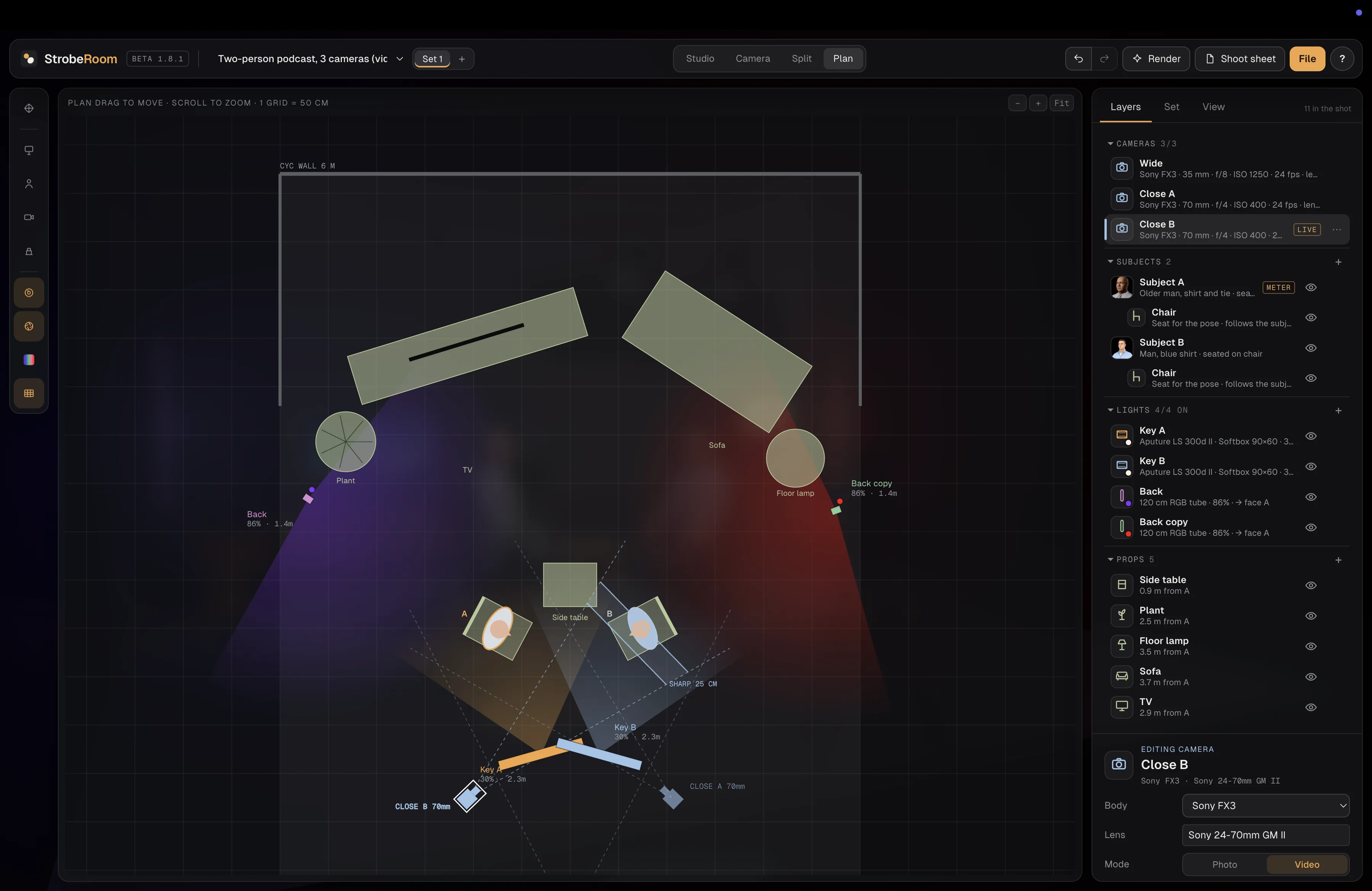
Read the geometry of your setup: subject positions, light placement, camera angles and distances.
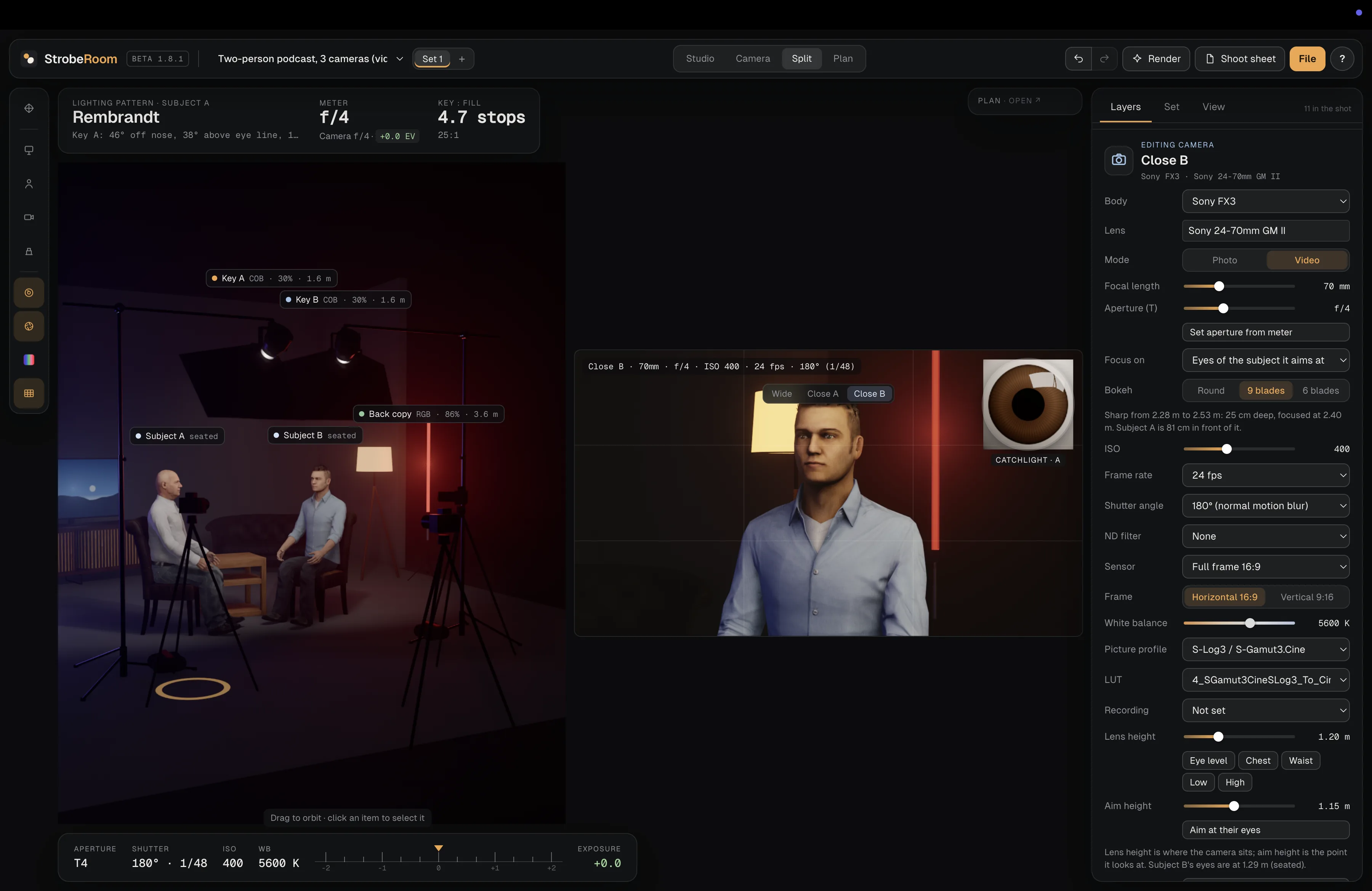
Work with fixture types, models, modifiers, intensity, colour and placement to shape the scene.
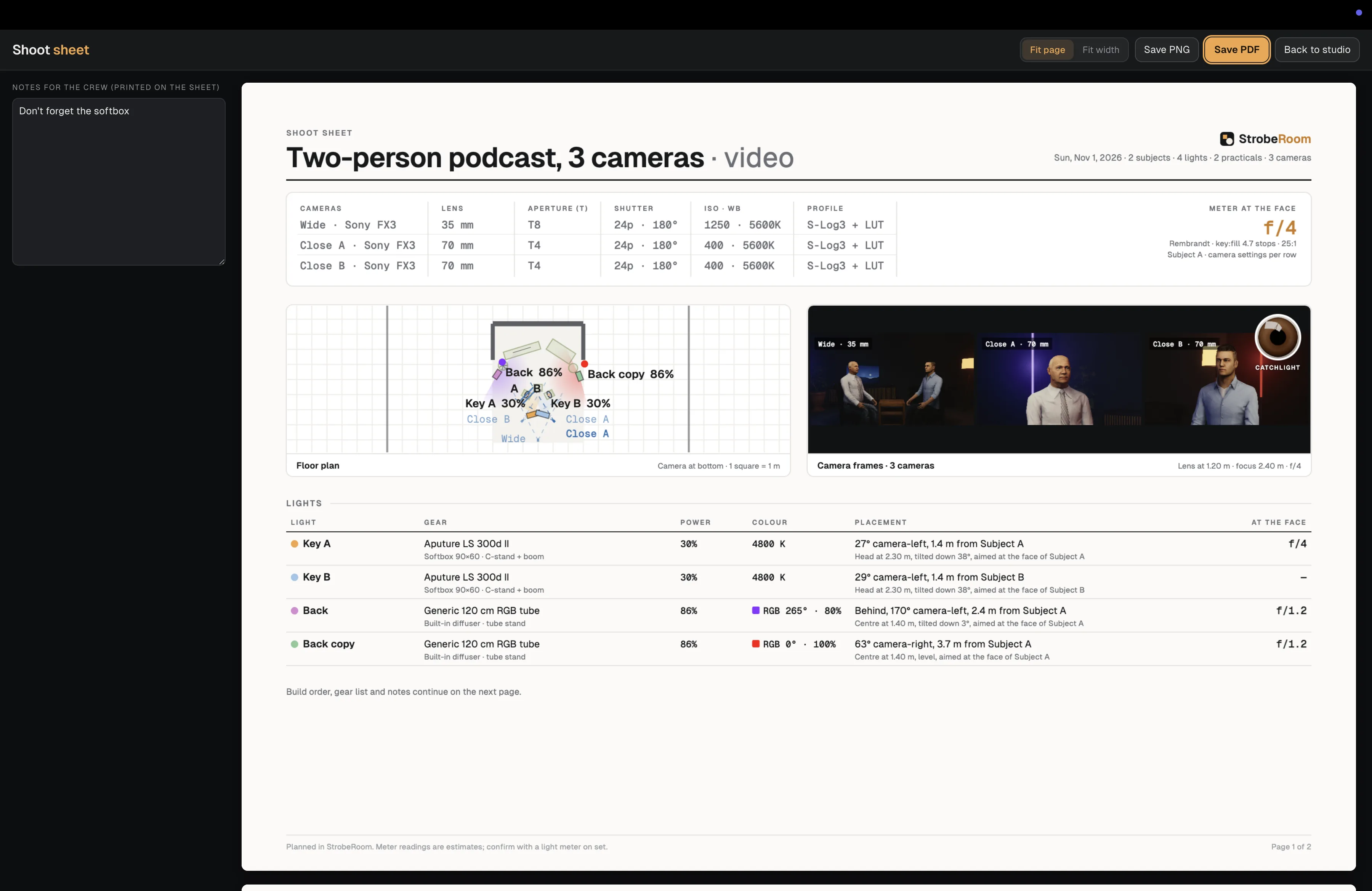
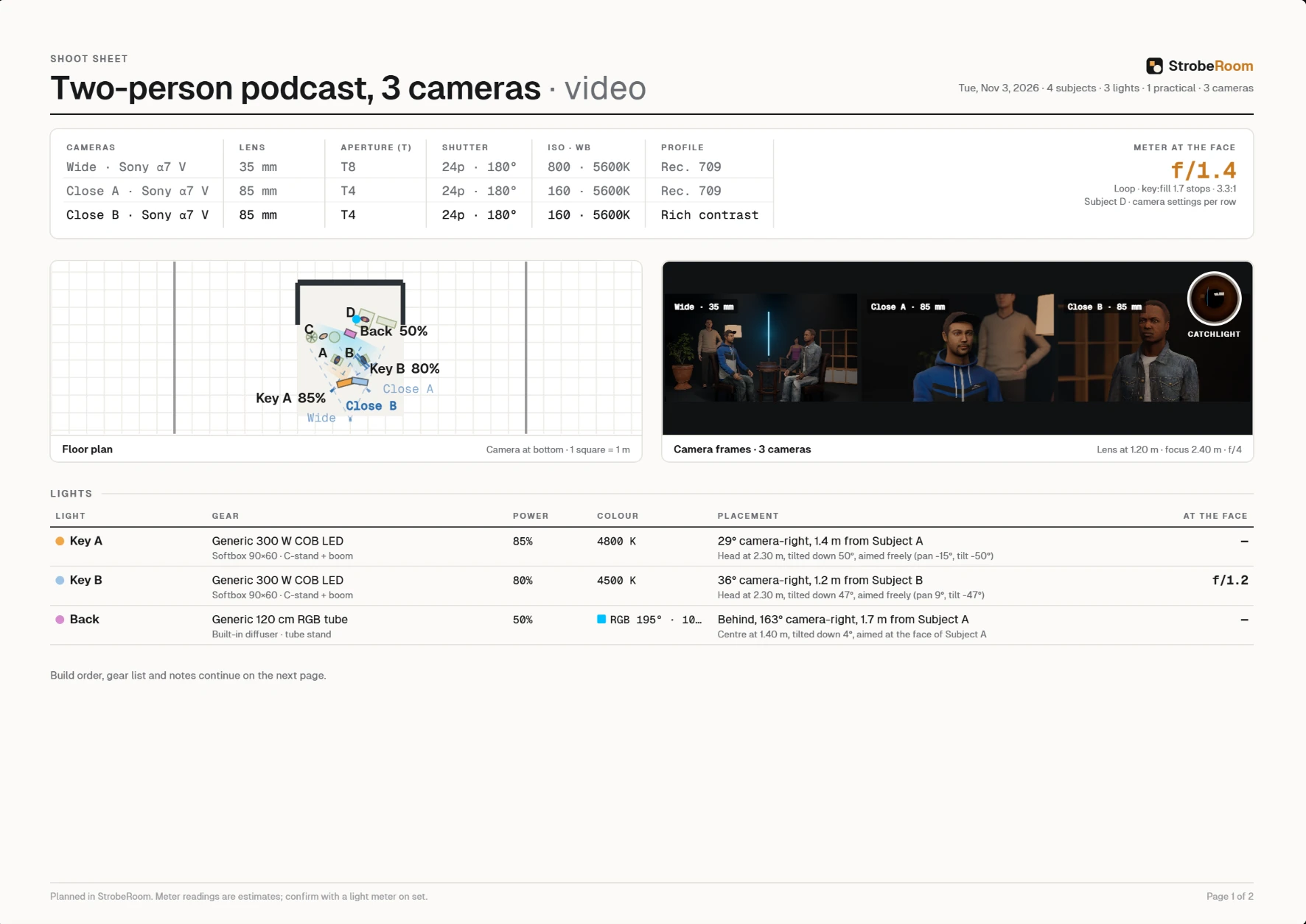
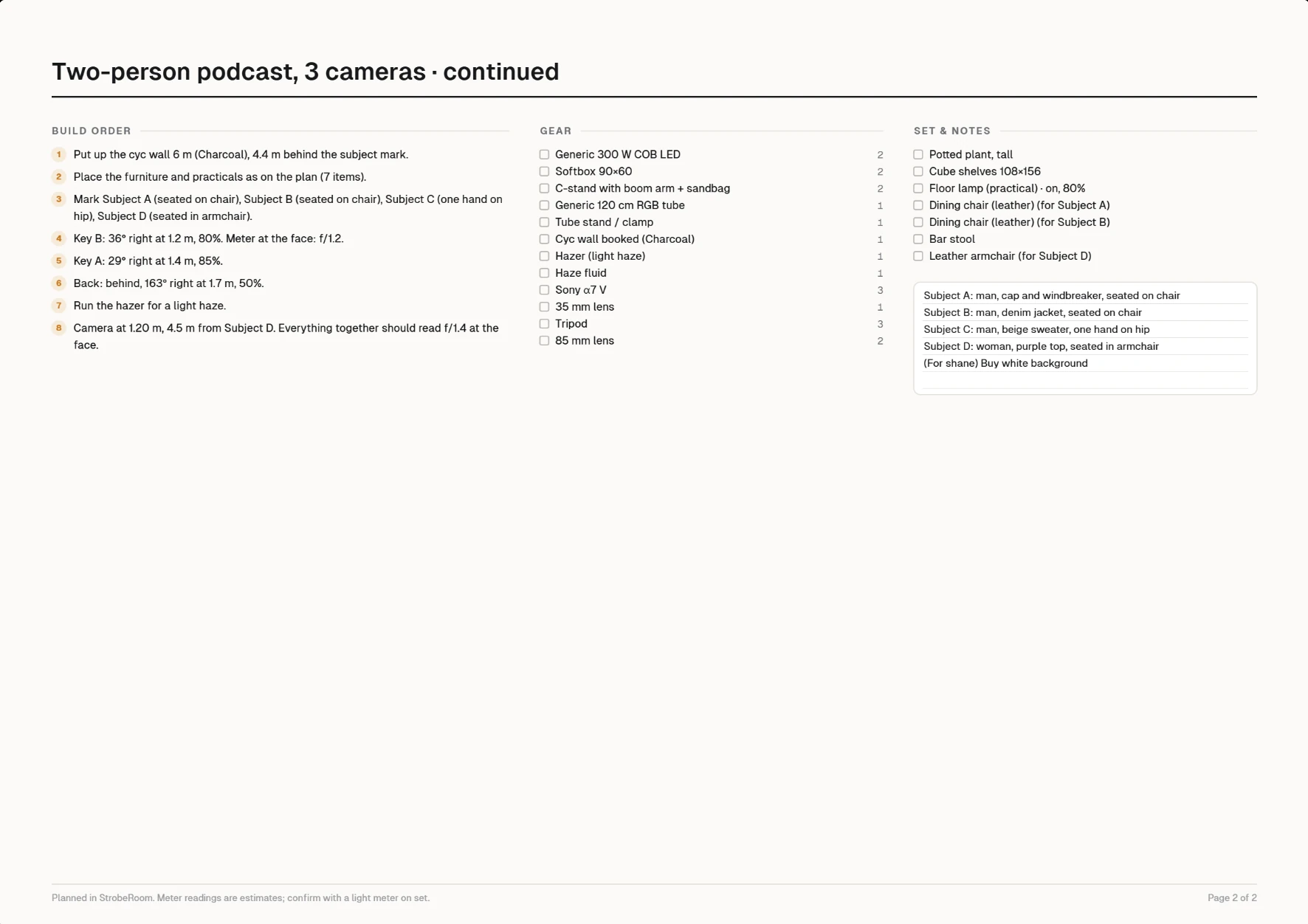
Export a clear reference with camera settings, floor plan, light details, gear and build order.
Camera simulation is a core part of StrobeRoom. Build a camera setup with detailed optical and exposure controls, then explore how picture profiles and LUTs change the image.
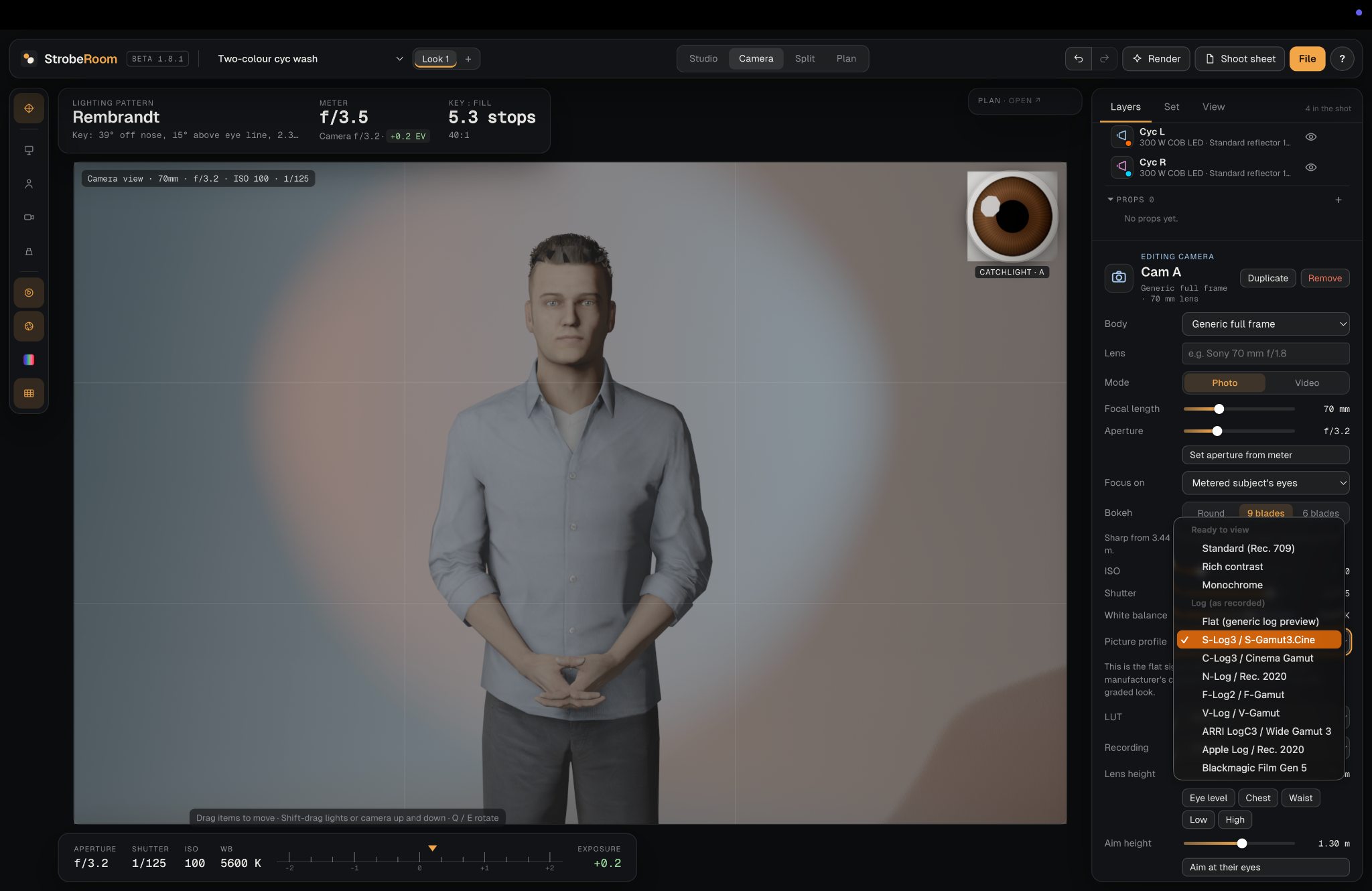
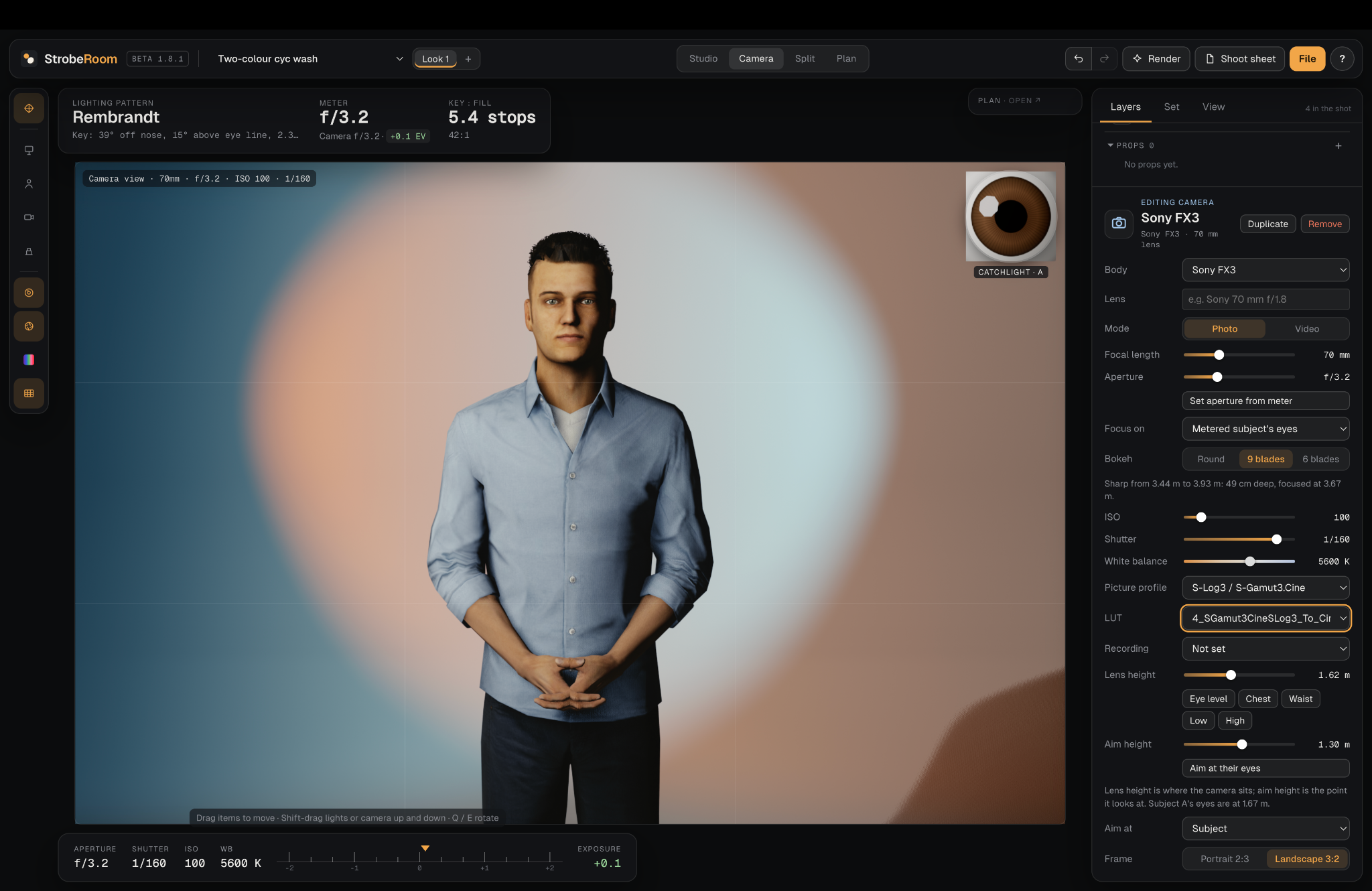
Explore profiles from Sony, Nikon, Canon, Fujifilm, Leica and Hasselblad. Select a body and lens to make the virtual camera match your intended kit.
Configure focal length, aperture, ISO, shutter, white balance, photo or video mode, focus target, bokeh shape and blade count, lens height and aim height.
Simulate profiles including S-Log3 / S-Gamut3.Cine, C-Log3, N-Log, F-Log2, V-Log, ARRI LogC3 and Apple Log. Upload your own LUTs and preview a Rec.709 conversion workflow.
A useful plan should survive outside the software. StrobeRoom's shoot sheet organizes the information you need to build the setup and communicate it to a crew.