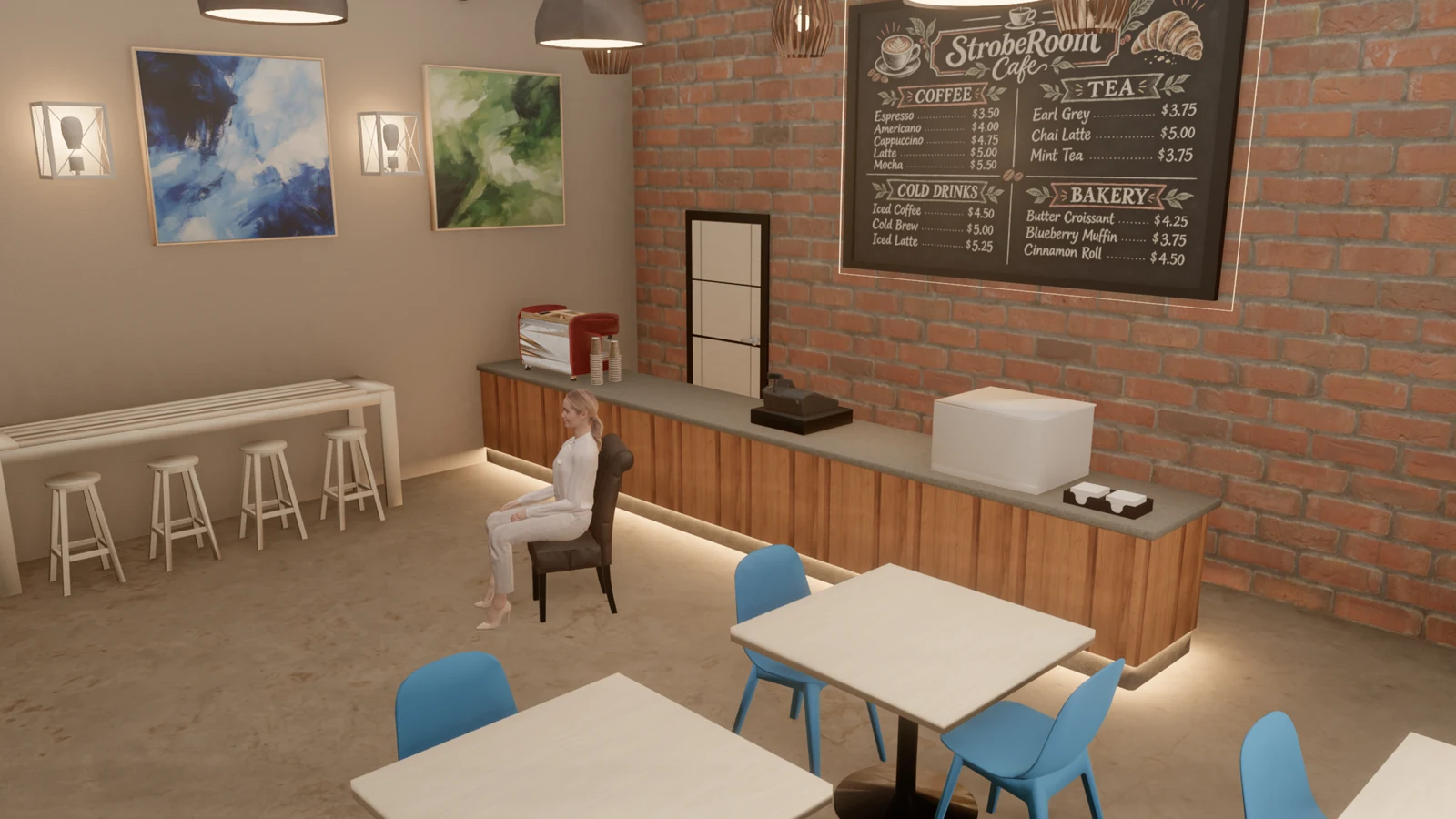
StrobeRoom 1.15 adds a second 3D set: a cafe. Like the brick loft, it is a real room at real size, and its own lamps are light sources you can switch and dim. Quintaroz, the 3D artist who builds our sets, composed it.
This post also covers 1.14.2, the smaller update before it: shorter pauses when something appears for the first time, an autosave that holds through a crash, and a smaller download.
If you have 38 seconds, the film below goes through the cafe, its lights, the daylight through its storefront and a shoot set up in it.
- The cafe
- Eight lights you can switch and dim
- Daylight through the storefront
- On the floor plan
- Made to move smoothly
- Also in this update
- Bug fixes
The cafe
A lot of shoots happen in places like this: an interview over coffee, a portrait at a counter, a podcast with two cameras at a table. The apartment covered a home. The cafe covers a business, with the hard surfaces, mixed lamps and big window that come with one.
The room is 9 by 7 metres with a 4.2 metre ceiling, open to its beams. Along the back runs a wooden counter with an espresso machine, a cash register and a pastry case, under a chalk menu on a red brick wall. There are high tables with stools along one wall and at the storefront, dining tables with blue chairs, plants, and a row of lit columns with prints between them. Everything is at real size: the doors are 2.10 metres tall, the counter 0.86 metres, the dining chairs seat at 0.48.
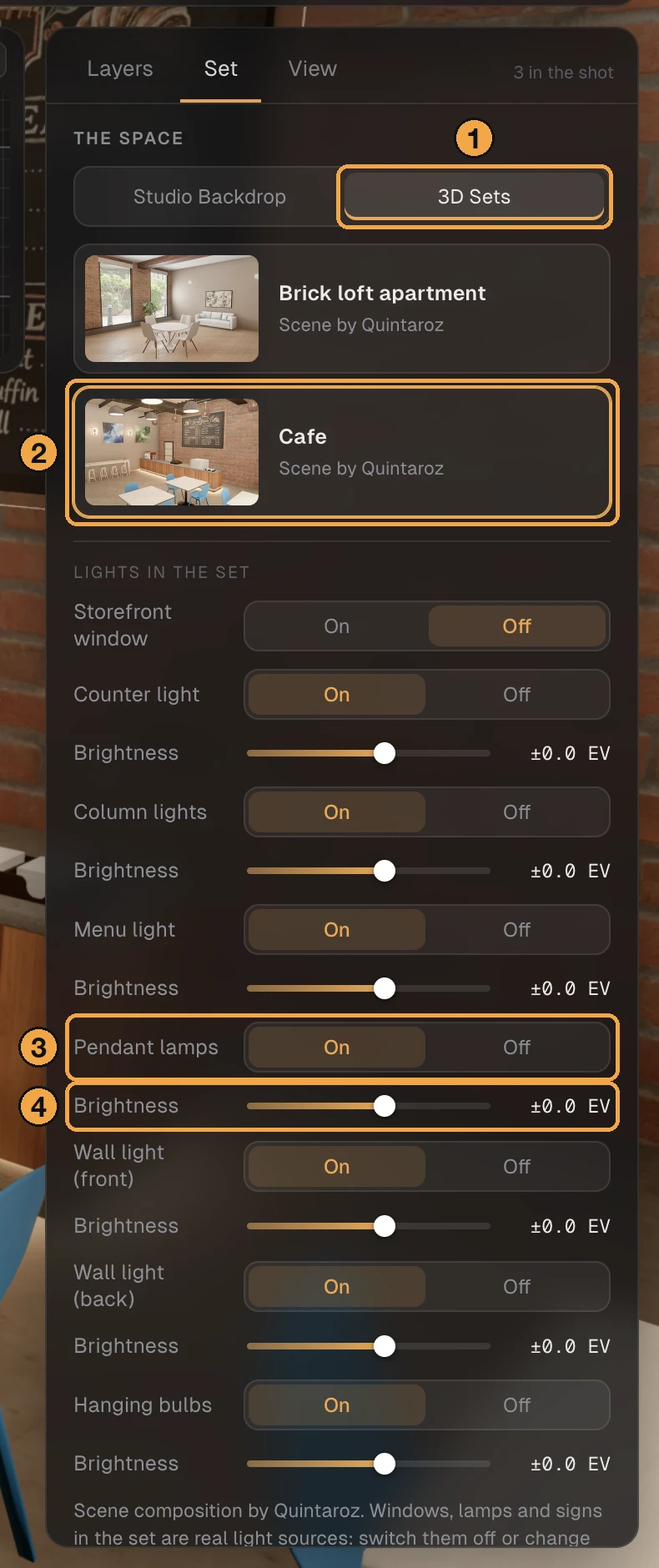
- Open the Set tab on the right.
- Choose 3D Sets, then the Cafe card.
Eight lights you can switch and dim
A set's own lamps change a picture as much as the lights you bring. So in the cafe, as in the apartment, each one is a light source: it lights the room and the people in it, it counts in the meter at the face, and it shows in the High-quality render.
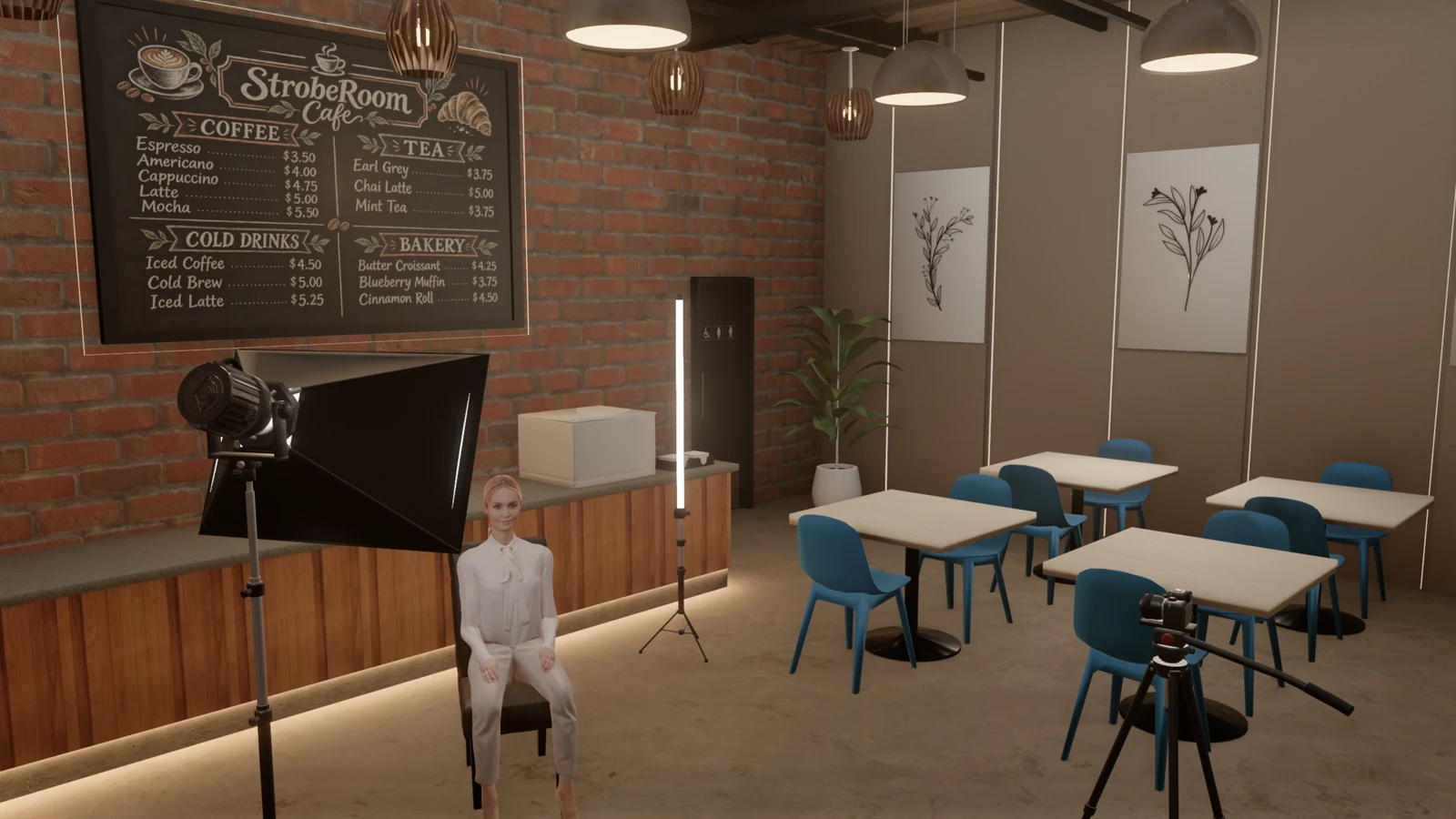
The cafe has eight: the storefront window, the pendant lamps, the bulbs hanging over the counter, two wall lights on the left wall, the strip under the counter, the light on the menu, and the lit columns. Each has its own On and Off and a Brightness slider in stops, under "Lights in the set".
The pendant lamps and the bulbs over the counter each light the room from where they hang, under one control for each group, and the inside of each pendant's shade glows with its bulb. The strip under the counter lights the floor along the counter's whole base.
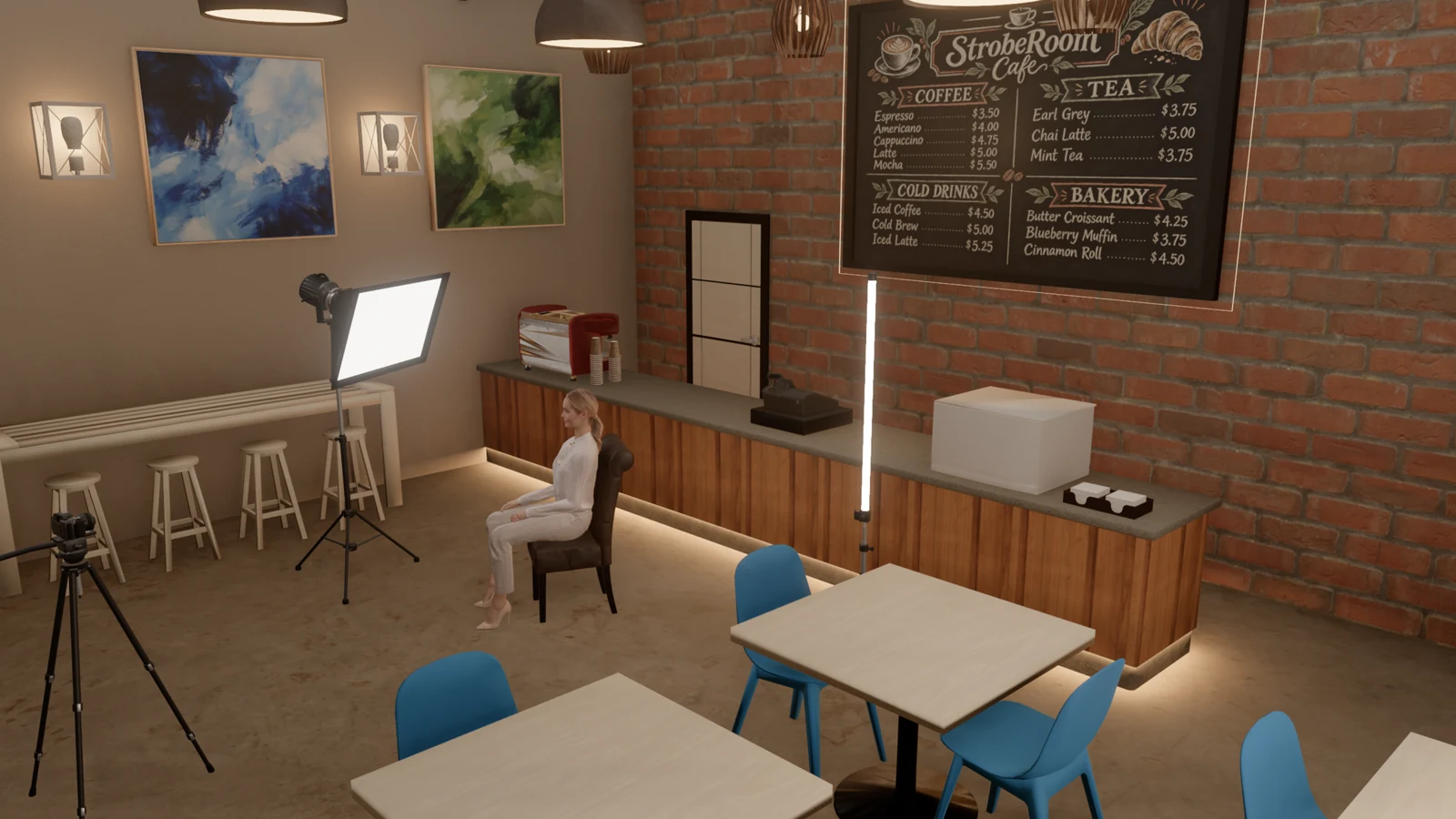
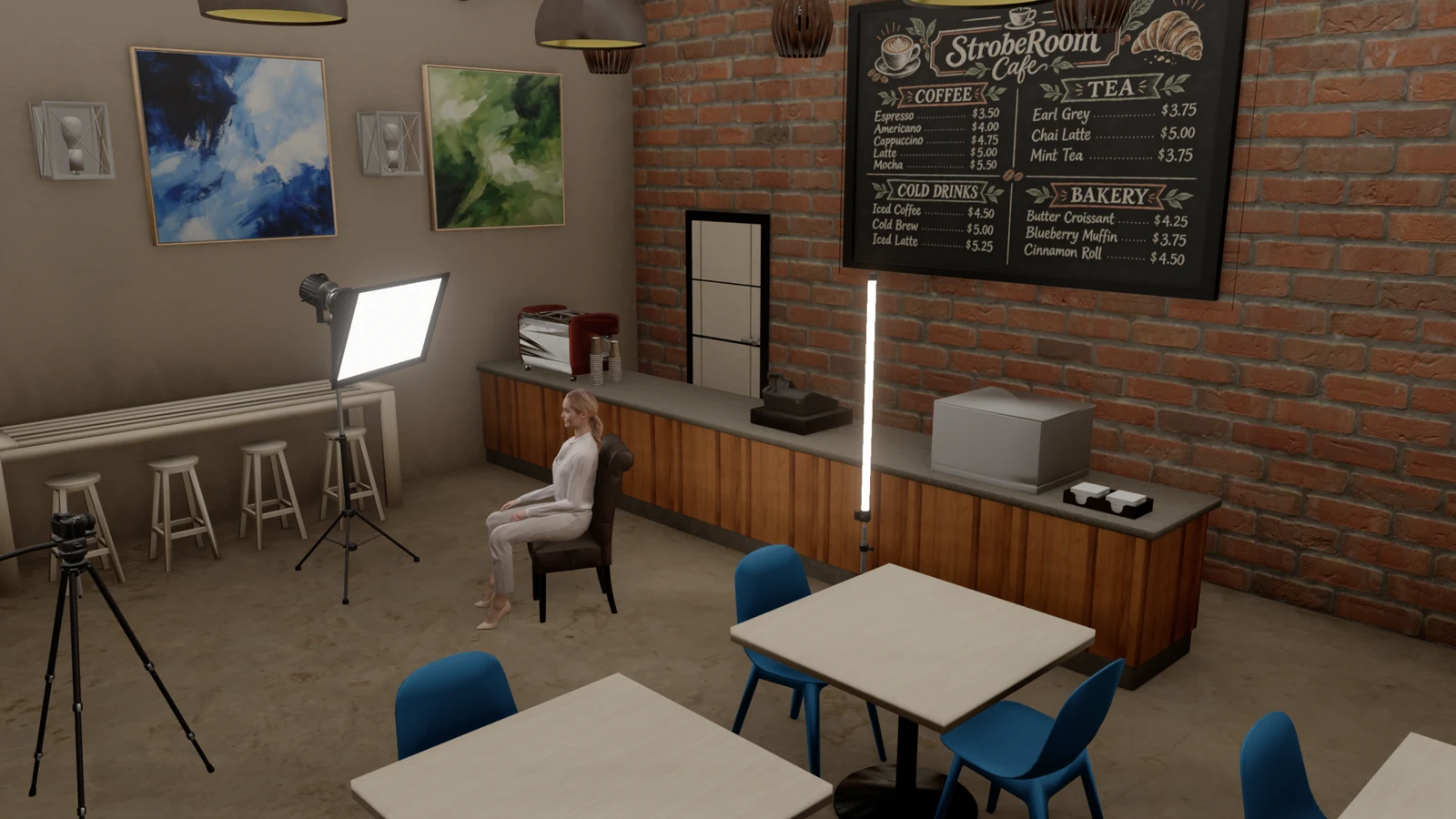
The interview preset in the cafe, with the set's lights on and then off. The softbox and the tube are the same in both.
- Light sources in a 3D set 5 in the apartment → 5 in the apartment, 8 in the cafe
Daylight through the storefront
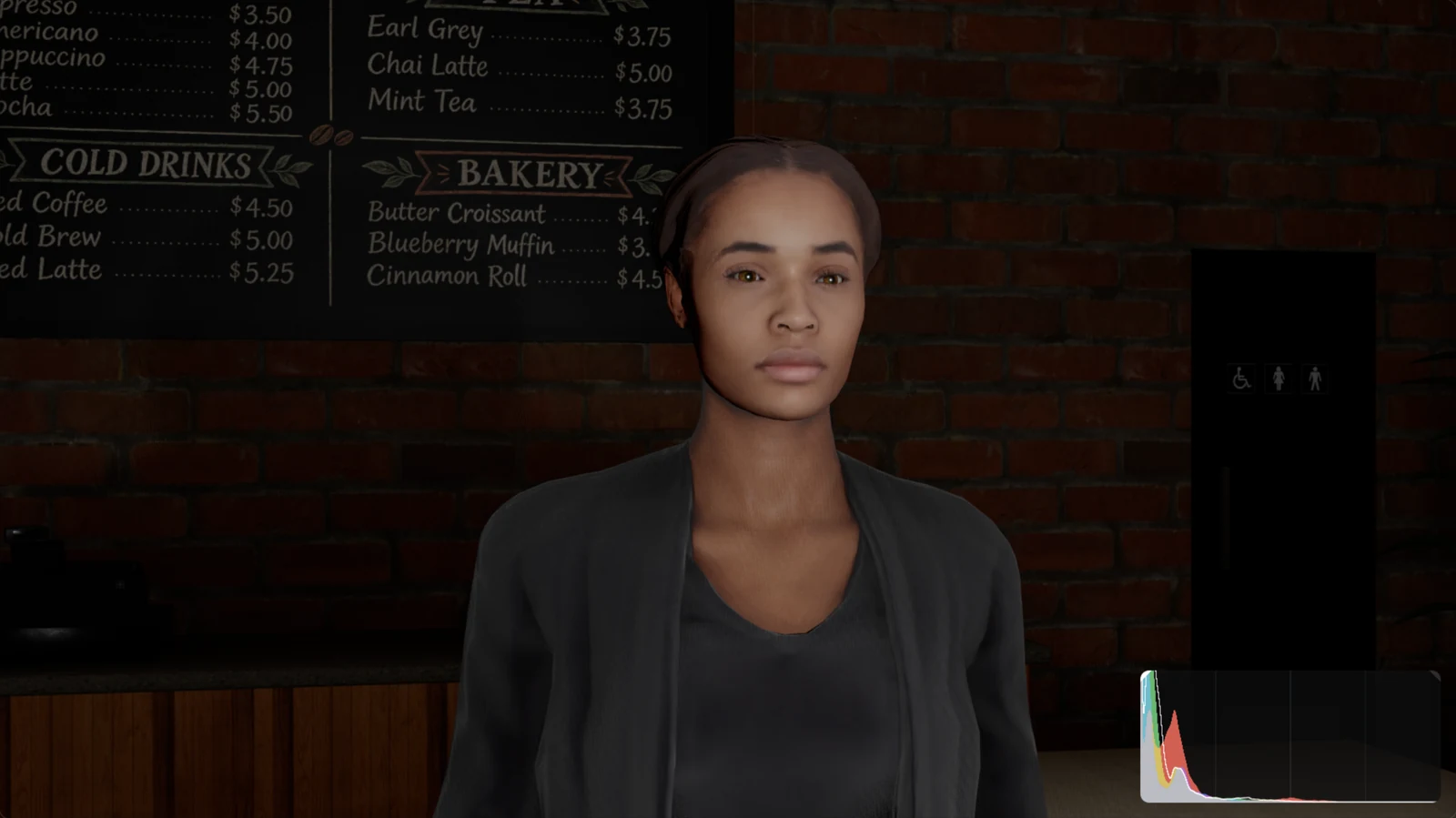
The storefront is one of the eight lights. Switch it on and daylight comes in through the glass and the door, with a street outside that you see through the glass down to the floor, as through the apartment's windows. It starts off, for an evening look with the lamps on, and like the others it dims in stops.
On the floor plan
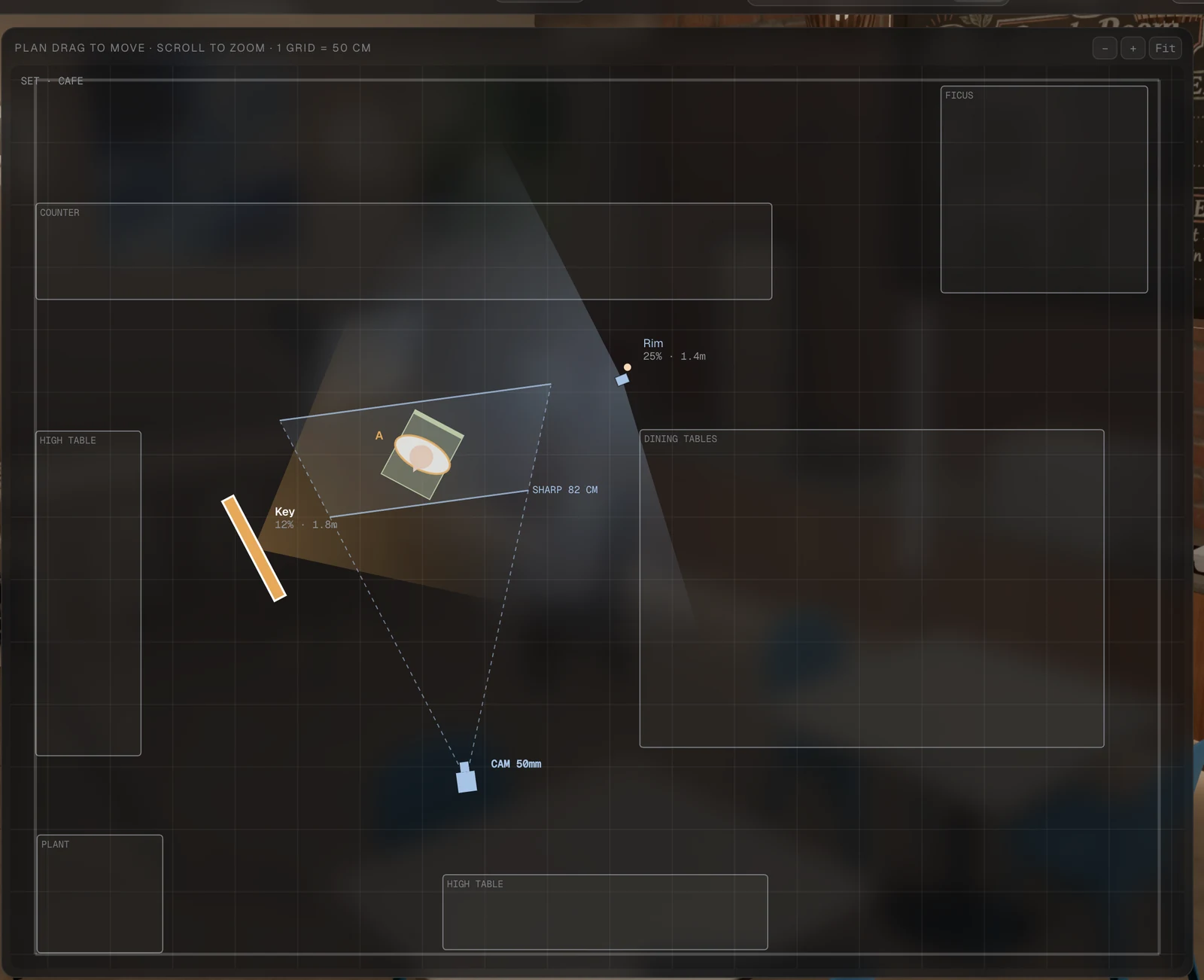
The plan shows the cafe's counter, tables and plants with plain names, so you can work out where lights and cameras fit before you go. When you open the cafe, a light or a camera that would stand inside its furniture or past a wall is moved to the nearest clear spot inside, and a note tells you which. While you drag, lights, cameras and people stop at the walls, in the 3D views and on the plan, and whichever side you look in from, the walls nearest you come away.
Made to move smoothly
A set has to move as easily as the studio, or nobody uses it. The cafe came to us as a detailed model, and we brought it into the app without changing how it looks: fine detail no one can see was simplified, each picture on it was sized to the surface it covers, and a glass on the espresso machine that made the app draw the whole room twice was given the kind of glass the rest of the app uses. The walls and the ceiling, the largest surfaces in the room, have their pictures at four times the resolution, so the plaster stays sharp up close.
- Triangles in the set 822,000 → 260,000
- The set's file 139 MB → 35 MB
- Pictures on the walls and ceiling 1K → 4K
- Turning the Studio view in the cafe 41 ms a frame → 26 ms (the apartment: 22)
Also in this update
1.14.2 was about how the app holds up, more than about what it does. These are its changes, all in 1.15 too.
- First time a lit lamp appears after an update 4.3 s pause → 2.5 s
- A lit lamp appearing after that 0.2 s pause → 0.07 s
- A change kept through a crash or a forced quit up to a minute could be lost → all but the last second
- The people's surface and hair pictures in the download 292 MB → 222 MB
- Start-up to the first picture 2.2 s → 2.05 s
- Gear checked against the makers. Every named light, modifier and camera body was checked against its maker's own figures. Sixteen camera bodies and several lights were corrected: the Profoto Pro-11 is a 2400 Ws pack, the amaran PT4c is a stop dimmer than the other 4-foot tubes, and the Sony α7R V records S-Log2 as well as S-Log3.
- Lamps light the haze. In a hazy room a lamp now glows in the haze around it, a tenth as strongly as a spot light, and a desk lamp in a cone below its shade.
- The dolly on the shoot sheet. A camera on a dolly now shows its frame at both ends of the move.
- The shoot sheet's paper. The PDF is Letter where Letter is the usual paper, A4 everywhere else, with the sheet centred.
Bug fixes
- Fixed the pause when a lamp, a person or a set first appears. The app prepares the shaders a change needs while the last picture stays up. With bounce light on, it had been preparing the wrong ones and building the right ones in the middle of a frame.
- Fixed a change being lost in a crash. The autosave was written to the app's storage at once but to disk up to a minute later. It is written to disk at once now.
- Fixed the readouts being cut off on a small window. On a 1280 by 800 window the light pattern line, the meter's camera line and the ratio no longer end in a cut.
- Fixed the camera frame moving as you dragged a light. When a readout went from one line to two and back, the camera frame below it moved with it.
How we tested it
We timed the cafe against the apartment with the same podcast setup on the same computer. Turning the Studio view takes 26 ms a frame in the cafe and 22 in the apartment, and the camera view draws 50 frames a second in the cafe where the apartment draws 46. We switched the cafe's lights on and off and checked that the meter follows, and made High-quality renders of it.
For 1.14.2 we used the app for two hours without a break, with presets, people, lights, shoot sheets and renders, and nothing kept growing in memory. We forced it to quit one and a half and three seconds after a change, and the change was there both times. Setups saved by eight earlier versions, from 1.8 to 1.14, still open with the same meter readings.