
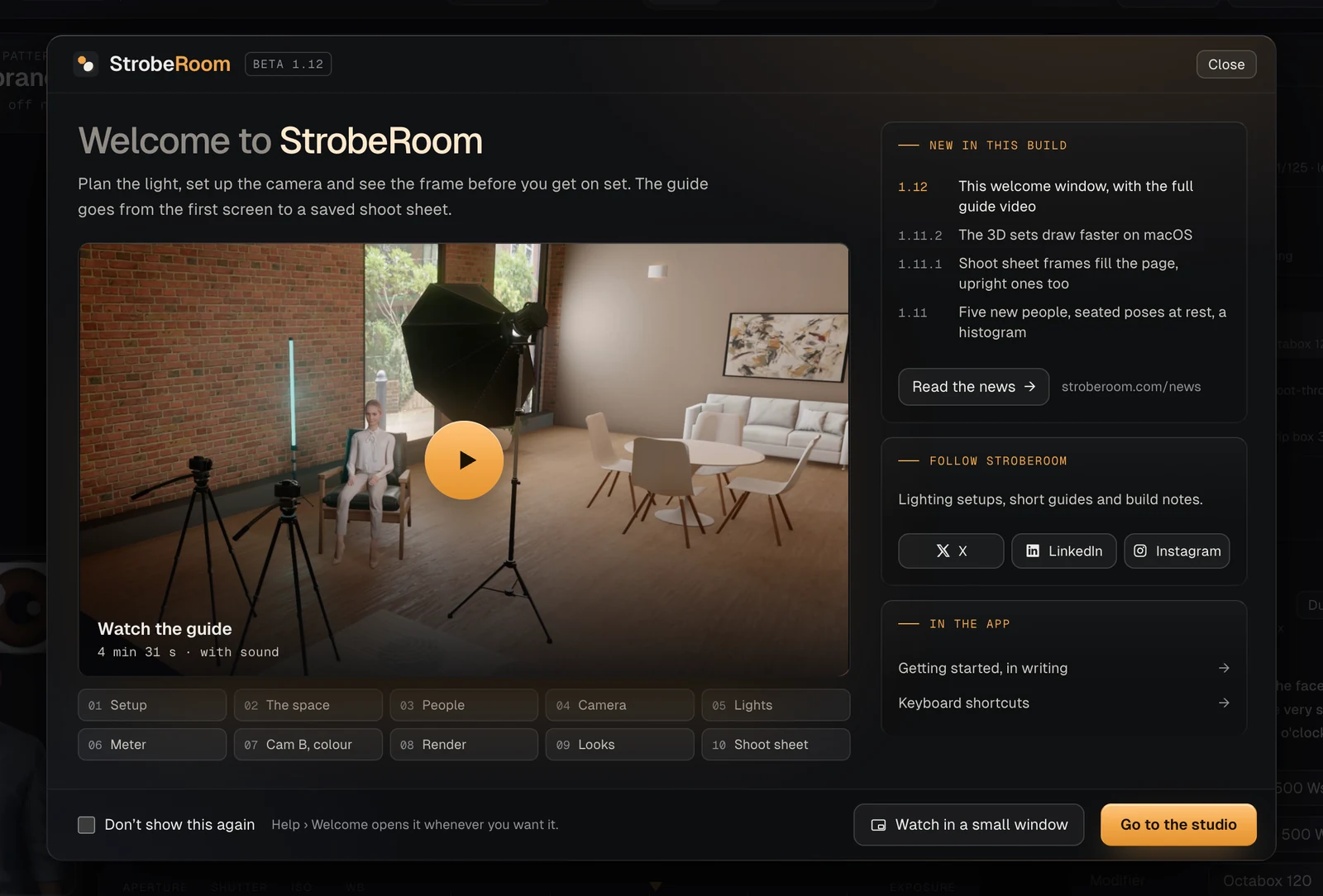
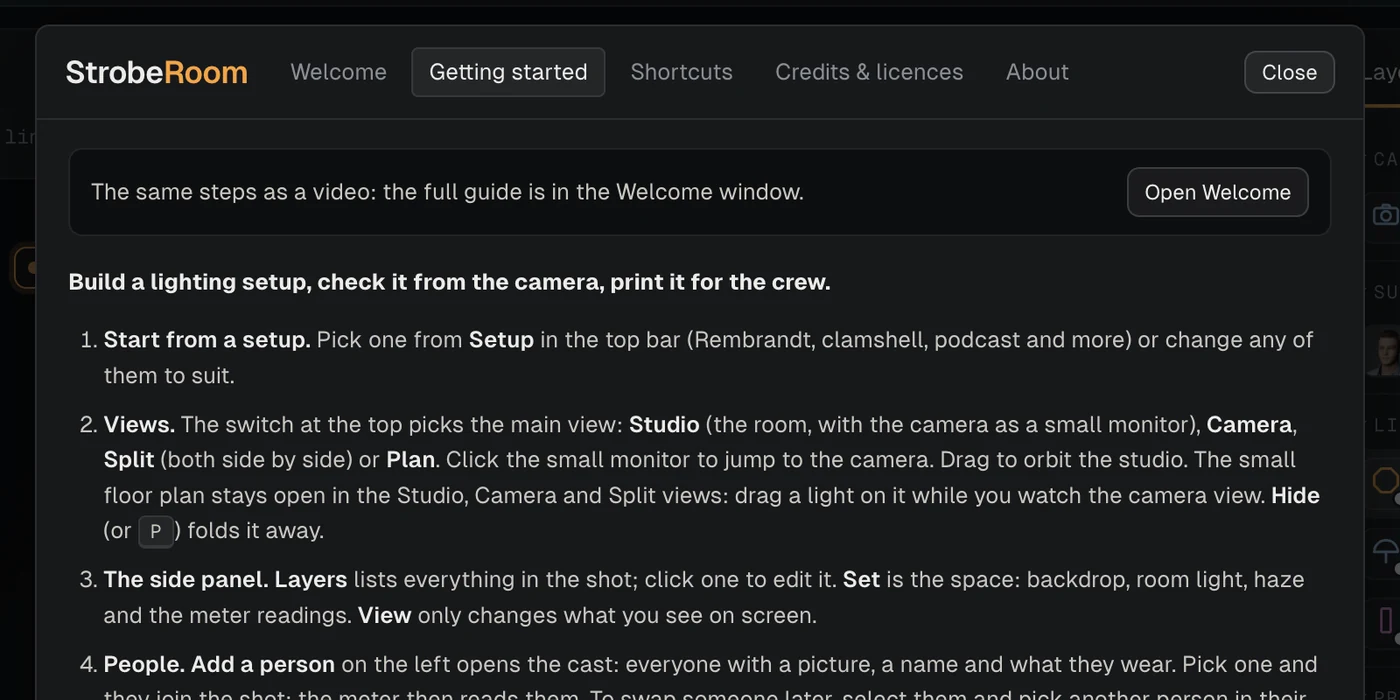
StrobeRoom 1.12 is about your first minute with the app. Until now a first start opened the Getting started page: thirteen steps in writing. That page is a good reference, but reading a list is not the same as watching a setup come together. So the app now opens on a welcome window, and in it is a video that builds one shoot from the first screen to a saved shoot sheet.
This post also covers the two smaller updates since 1.11, which we did not write up at the time. The shoot sheet's camera frames now fill the page whatever their shape, a second camera's picture no longer picks up stray shapes, and the 3D sets draw faster on macOS. The meter reads the same as in 1.11 on every built-in setup.
A welcome window
We wanted one place for what a new user needs: the guide, what changed in the build they just opened, and where to find us. The welcome window opens every time the app starts, until you tick "Don't show this again". After that it stays away, and Help brings it back whenever you want it.
- On a first start the Getting started page, once → the welcome window, until you turn it off
- The guide 13 steps in writing → the same steps as a video, and still in writing
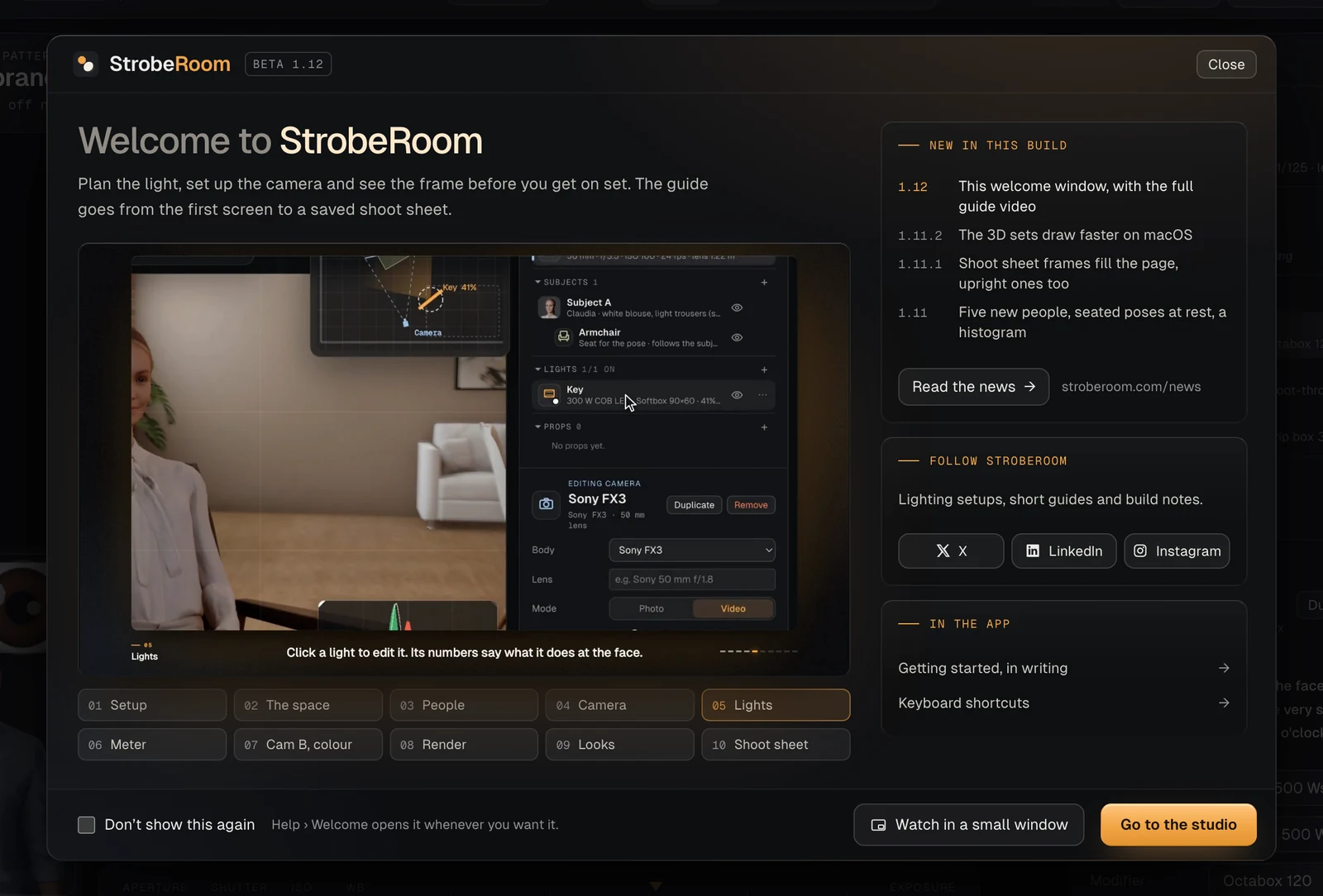
Beside the video, "New in this build" gives the latest changes a line each and links to this News page, and "Follow StrobeRoom" has our accounts on X, LinkedIn and Instagram. The written guide and the keyboard shortcuts are one click away.
A guide is most use next to the thing it explains. "Watch in a small window" moves the video into a small window that stays on top of the studio, so you can follow along step by step. Close the small window and the video pauses.
The full guide
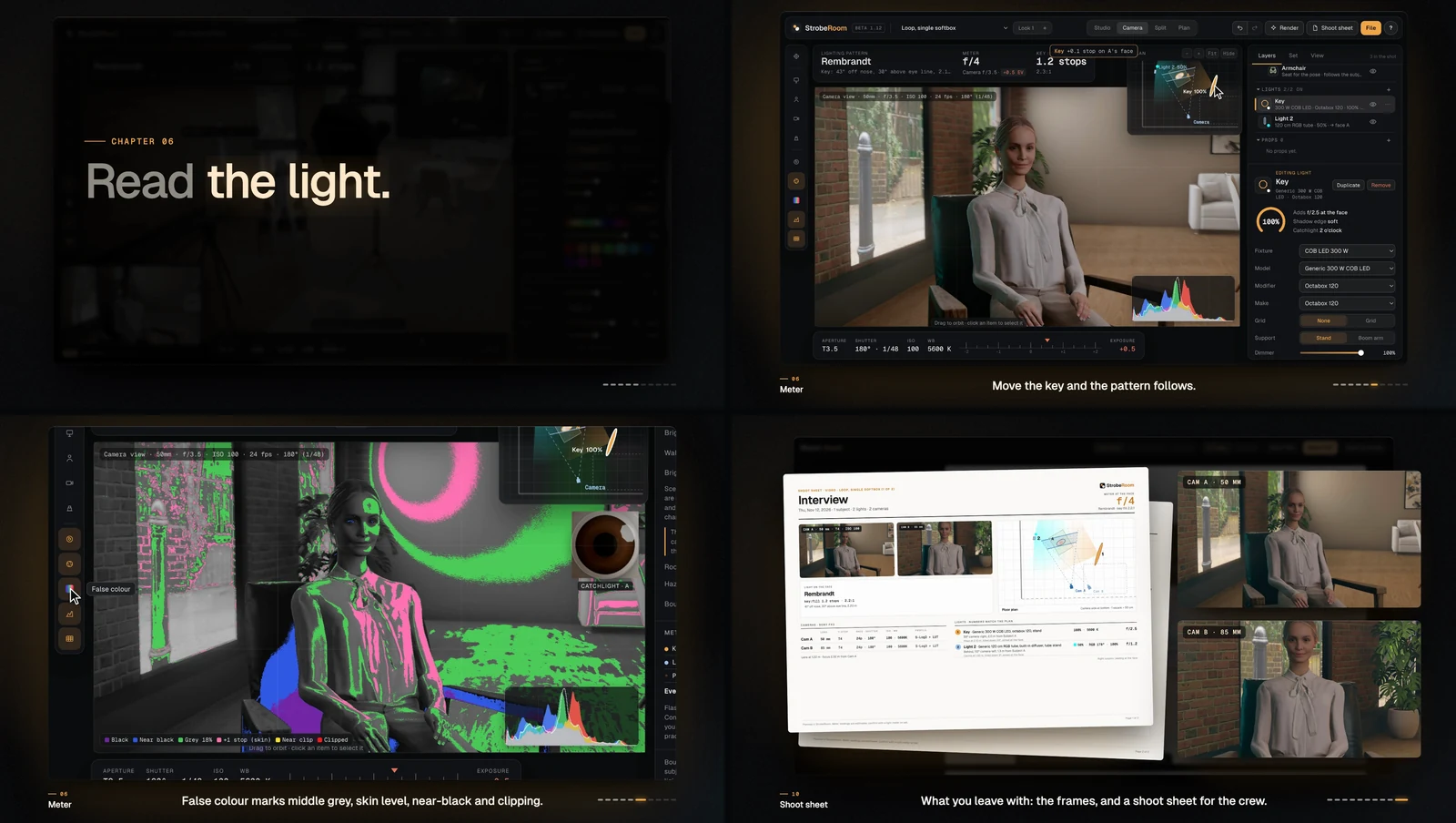
The video follows the order of the written guide and builds one shoot: a seated interview in the brick loft, lit by daylight from the windows, an LED key in an octabox and a teal tube, on two cameras. It runs 4 minutes 31 seconds in ten chapters. There is no voice. Every step has a caption under the picture.
Everything inside the app's window in the video is StrobeRoom 1.12 itself. A script performs each step with real mouse and key presses, and the frames are the app's own, including the ones while a light is being dragged. The pointer, the rings where it clicks, the key caps, the spotlights and the zooms are added in the edit.
Two things are not as you would see them. Lists that the operating system draws, such as Setup, Pose and Modifier, cannot be captured, so the video shows the field before and after. And the render in chapter 8 took 24 seconds. The video plays it back in 5 and says so.
The music and the sound effects are made in code for this video. There are no recordings and no library tracks in it.
The shoot sheet with upright frames
With three cameras set to upright frames, page one of the shoot sheet wasted most of its space. Each frame sat in a slot of a fixed size, so an upright frame filled about a third of it. The labels were written out whole and ran past the pictures.
The frames now fill their column edge to edge, for any mix of upright and wide frames and for one, two or three cameras. The live camera's frame stands at the top left, as large as it can be, and the others go beside or under it. A label is the longest wording that fits inside its picture, and the tables give a lens or a gel the room its name needs.
- Live camera's frame 305 × 458 → 469 × 703
- The other two frames 150 × 225 → 379 × 569
- Column filled by pictures and cards 34% → 95%
Sizes in pixels on the sheet's 2400-pixel page, for three upright frames and four lights.
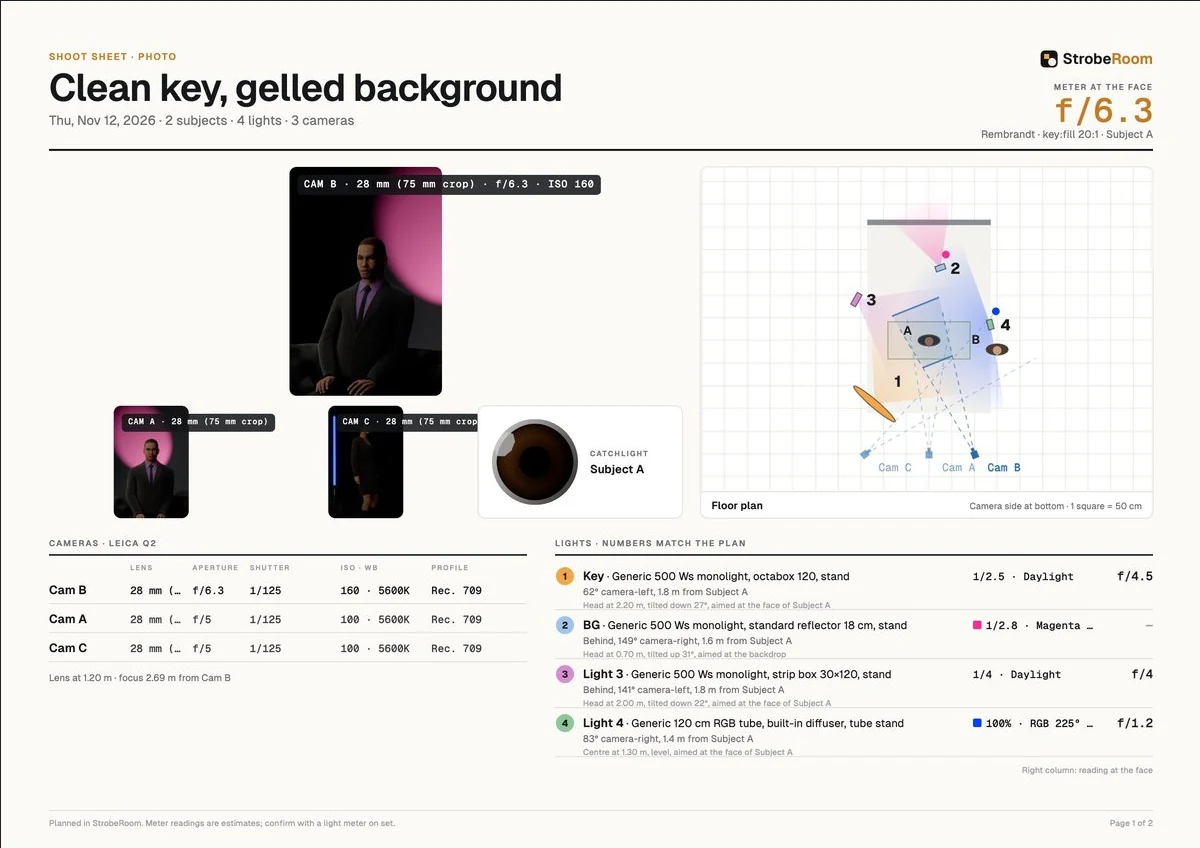
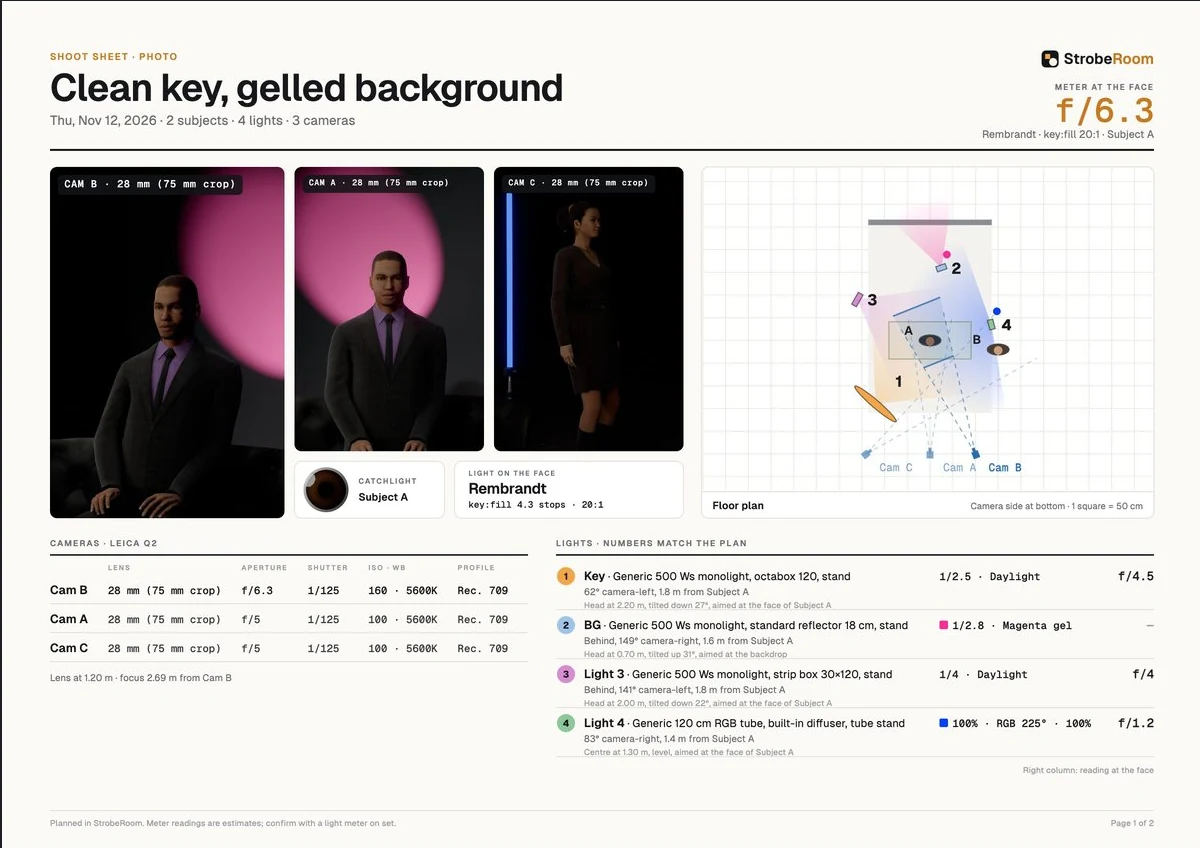
The same setup and the same three cameras. Only the layout of the page differs.
Faster 3D sets on macOS
A 3D set is the heaviest thing the app draws, and on macOS the views in the brick loft were slower than they needed to be. Two things in how we draw soft shadows and lens blur cost more time there than they had to. We changed how the shadow maps are stored, and the lens blur now looks only as far as the widest blur near each pixel.
- Turning the Studio view about 30% faster
- Dragging a light, Studio view about 25% faster
- Dragging a light, Split view about 50% faster
- Dragging a light, Camera view about 75% faster
Measured in the brick loft with a two-person setup, the old and the new drawing in the same window, one after the other.
The picture is the same. Fine contact shadows came out cleaner: where a collar or a lapel lies on a shirt, the old shadow was speckled.
Bug fixes
- Fixed a seated person losing their head in the camera's picture. If you added someone standing, seated them and framed the camera low on them, their head could vanish from the camera view while the Studio view still showed them whole. The app was still using the place where their standing head had been to decide what was in the frame. It now works that out again after every change of pose. With the three scanned people it was the head, the eyes and the hair. With everyone else it was the hair at most.
- Fixed stray shapes in a second camera's picture. After an undo, a duplicated look or a shoot sheet of another look, switching to Cam B by its tab could put large soft shapes over the picture. The app was looking through a camera that was no longer part of the setup, with that camera's own body standing at the lens.
- Fixed camera labels running over each other on the shoot sheet. A label now always fits inside its picture.
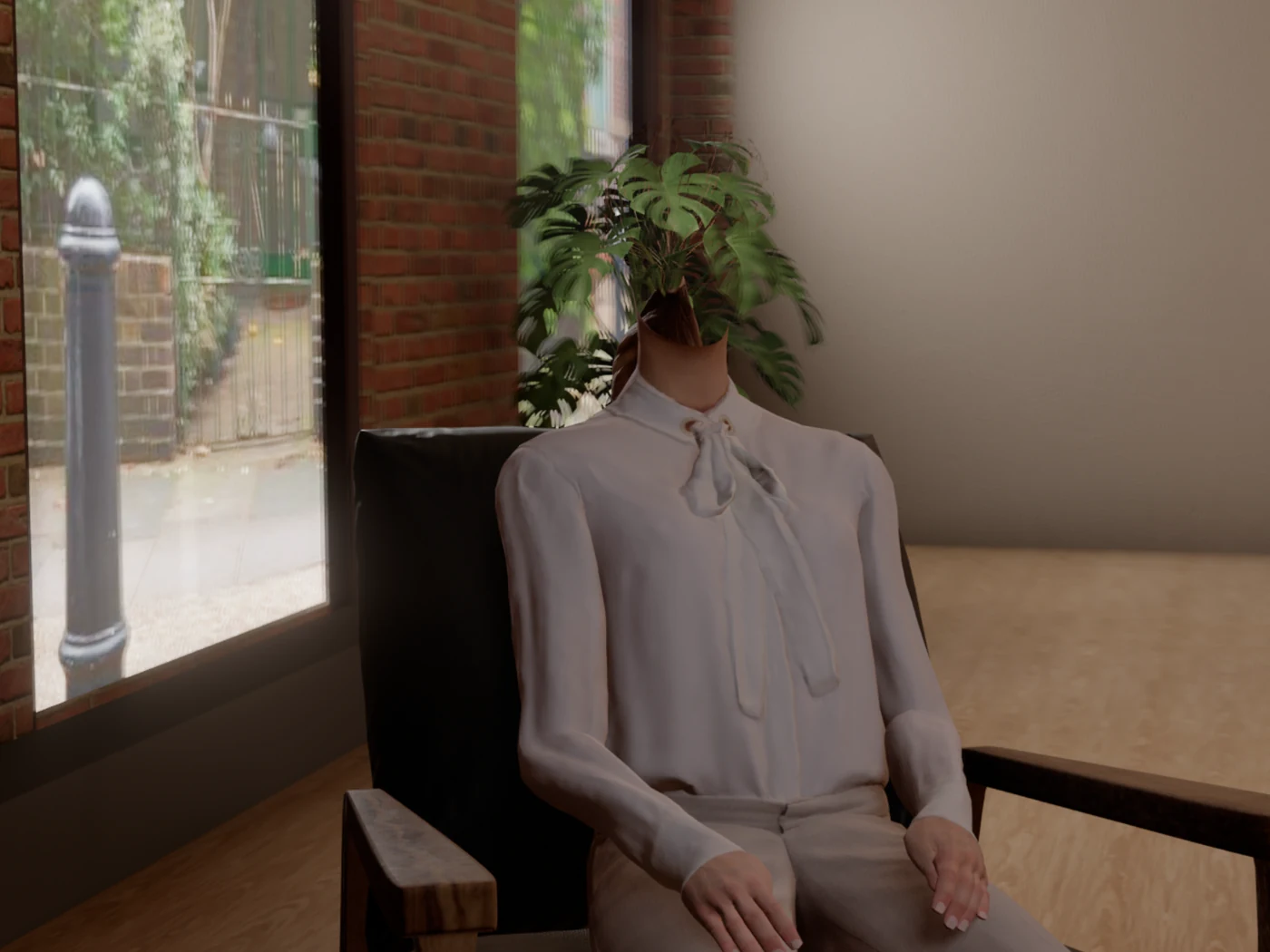
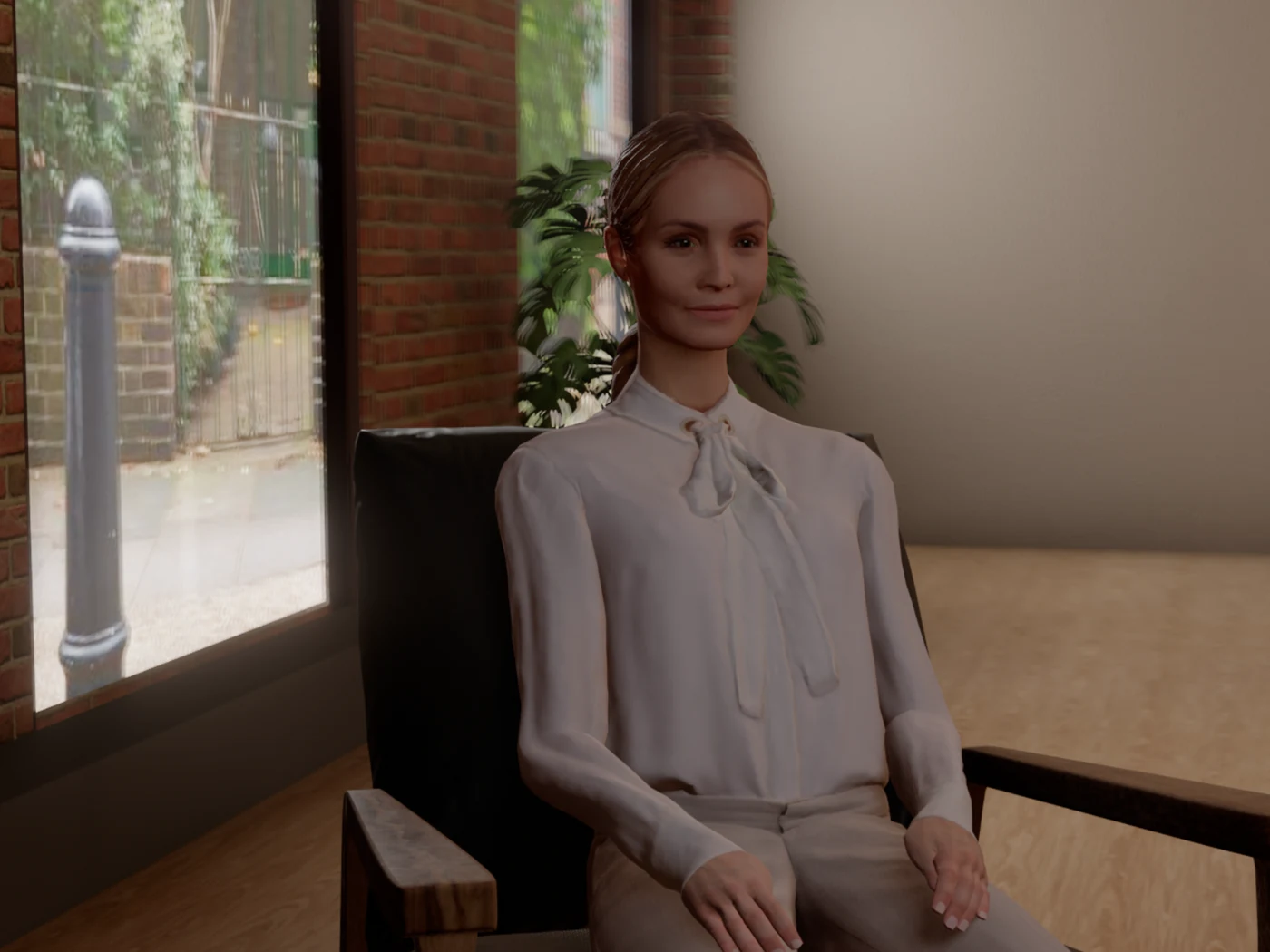
Same person, same chair, same camera, in each case added standing and then seated. We found this one while recording the guide.
How we tested it
The welcome window has an automated test of its own. It starts the app as a new user would and checks 32 things, among them that the video waits for a click, that it plays with its sound and jumps to a chapter, that keys typed in the window do not reach the studio behind it, and that "Don't show this again" holds on the next start. We run it at the default window size and at the smallest one. A second test runs the desktop app itself and checks that the links are handed to your browser and that the video plays and jumps there too.
For the seated-person fix, a test stands a person, seats them and frames the camera low, then checks that every part of them is still in view. With the old behaviour switched back on it reports the missing head. The standard scenes give the same meter readings and the same pictures as before, at the same speed.
The shoot sheet is checked in fifteen cases, with one to three cameras and upright, wide and mixed frames. The macOS speed numbers come from switching between the old and the new drawing in one window.
Known issues
- After you move the room light slider, the picture still takes about half a second to settle.